Patch
Add a row of fixtures at once. Addresses count up by footprint and overlaps are marked. Drop a JSON profile on the window to add a fixture the library does not have.
Console and DMX node
Patch, cues, effects and a 3D view of the stage. Output over Art-Net or sACN. The Vimera DMX Node puts that on a DMX512 line.
Signal path
Software
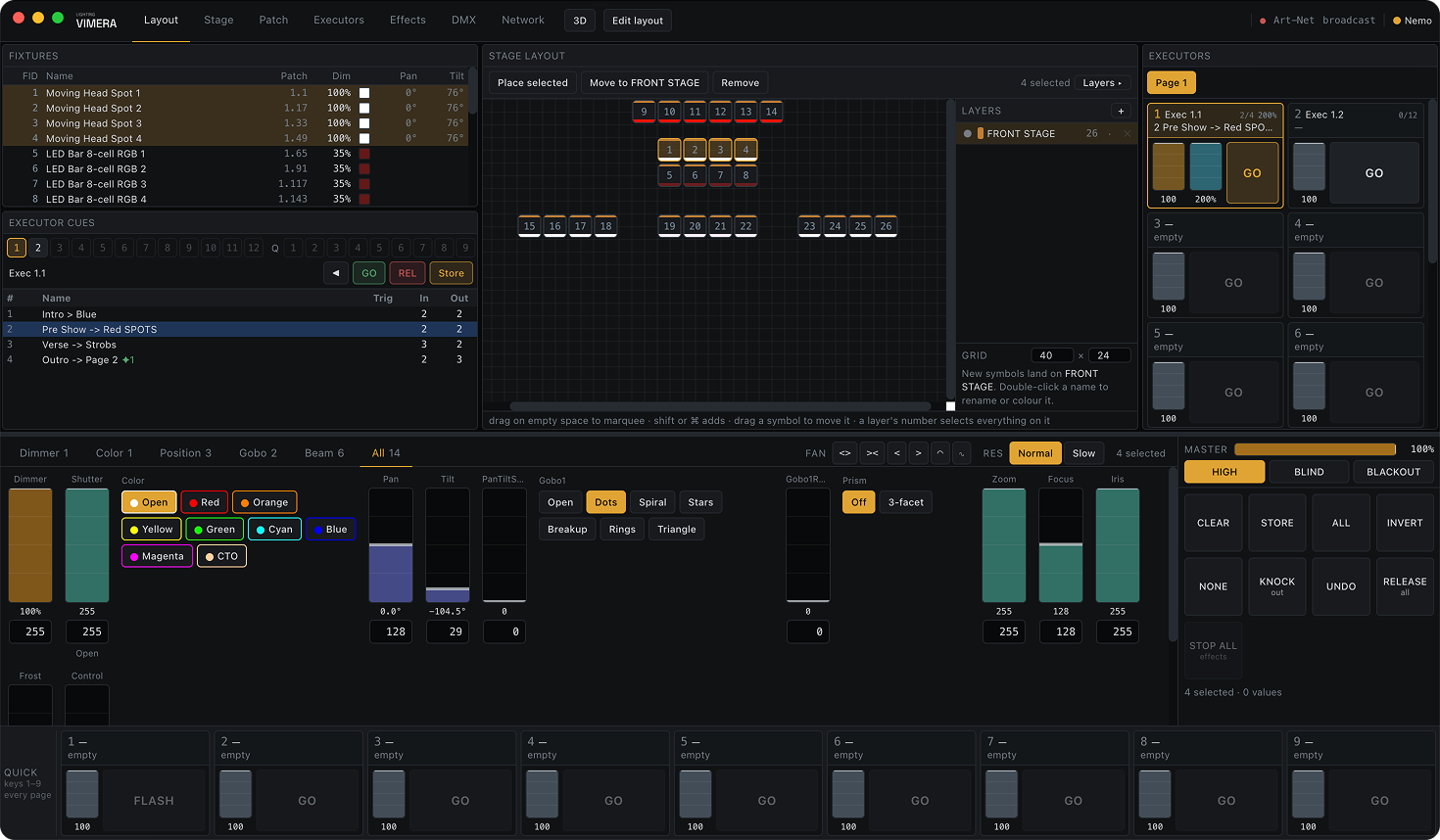
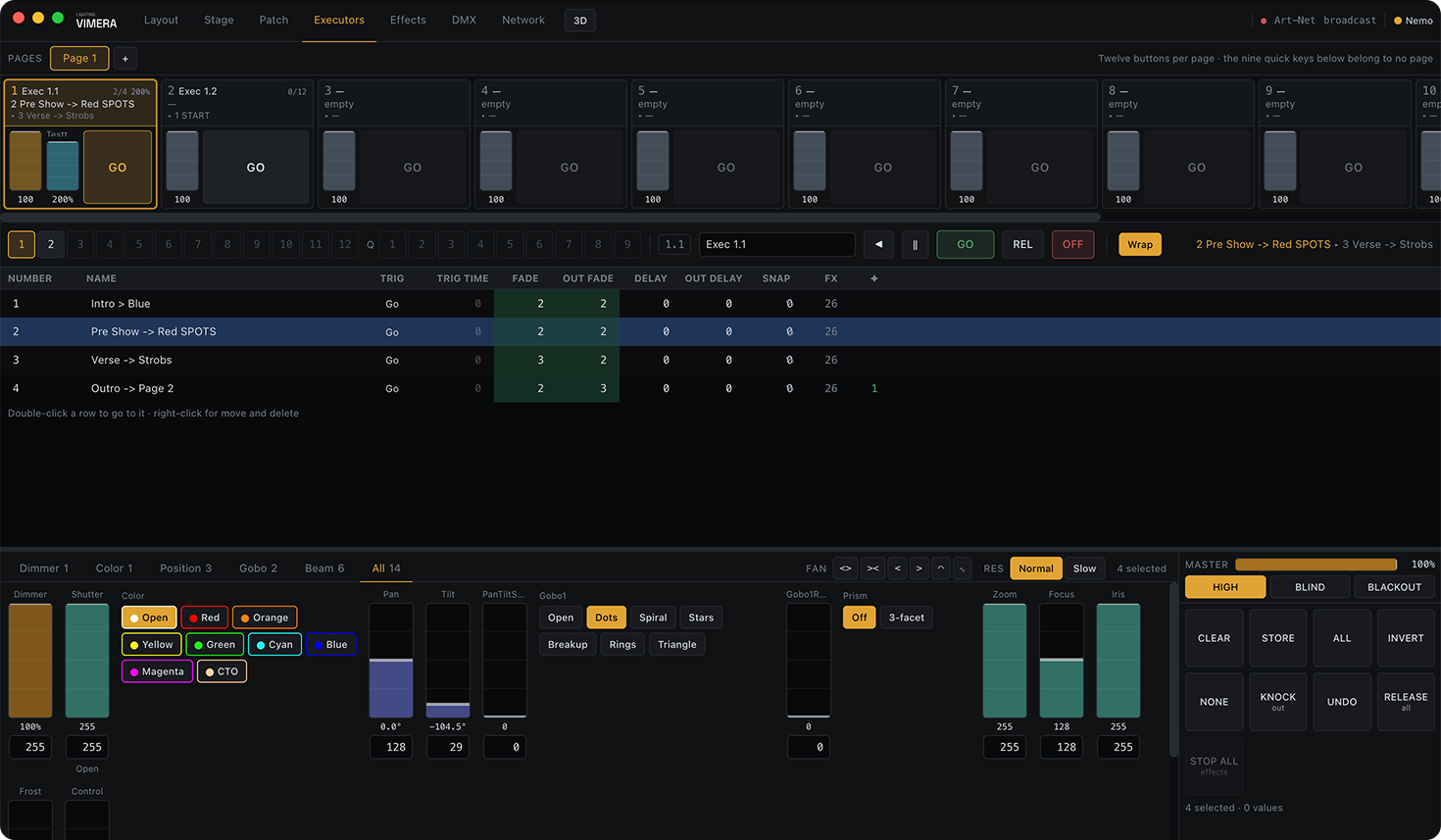
Patch, stage plan, programmer, cue lists and effects in one window, and a 3D stage in a second one.
 img/app-layout.png
 img/app-executors.png
 img/app-3d.png
Add a row of fixtures at once. Addresses count up by footprint and overlaps are marked. Drop a JSON profile on the window to add a fixture the library does not have.
A 2D plan with layers — truss on one, floor fixtures on another. Drag a box around a run of fixtures to select them.
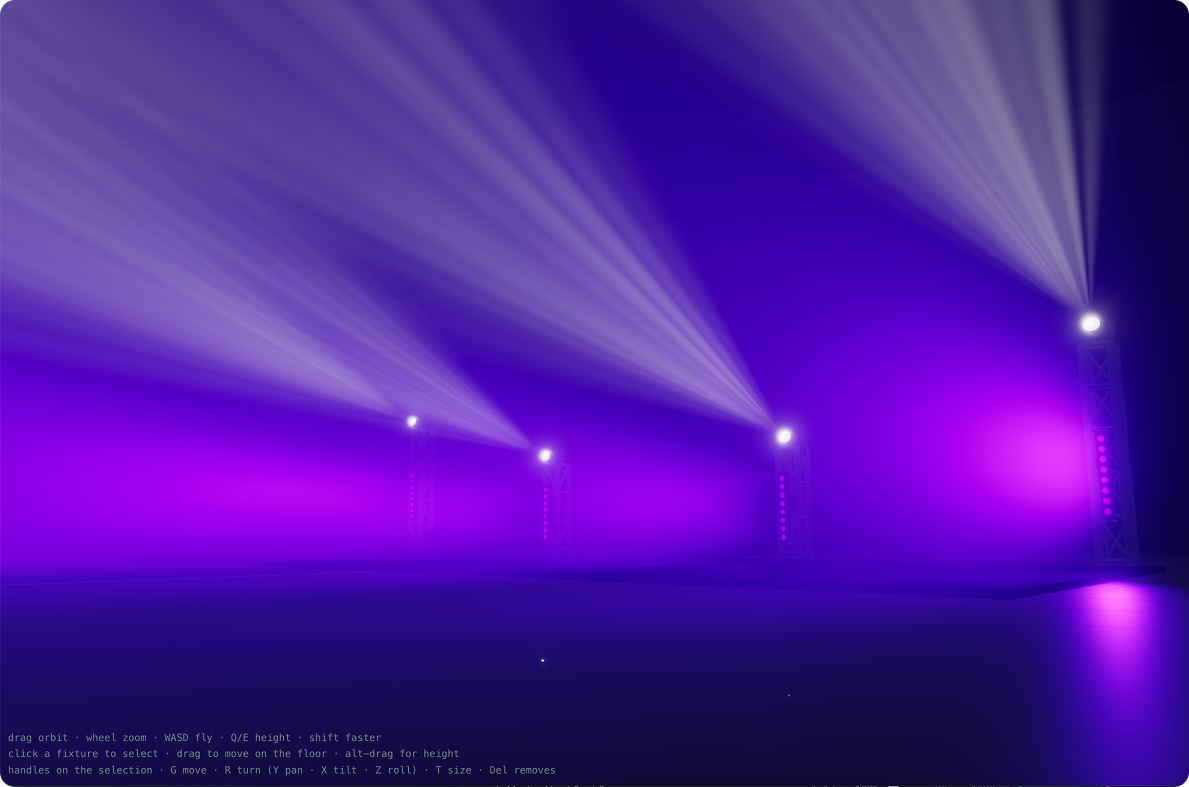
A separate window for a second monitor: beams in haze, gobos and prisms on the floor, strobes at their real rate. Build truss, towers and decks, and fly through with WASD.
Controls follow the selection. 16-bit pan and tilt, an XY pad, fan across the selection. Faders move only when dragged. Normal and Slow resolution, Shift for finer.
HSV wheel, RGB, hex, Kelvin 1000–12000 K. Each fixture gets the nearest colour its own mixing can make: RGBW, RGBA, CMY or a slot on a colour wheel.
Seven waveforms, rate in BPM, spread, direction, blocks and wings. Circle and Figure 8 for heads, Hue for real colour. Twelve templates.
Twelve buttons per page and nine quick keys on the number row. Each button holds its own cue list with Go, Follow and Time triggers.
One key. It offers a new cue, an update of the current one with what changed, or an overwrite with what is on stage.
Standalone cues on keys 1–9 with go, toggle, flash or temp. They mix over the running cue instead of knocking it out.
Art-Net or sACN — unicast, broadcast or multicast. 25 to 44 frames per second, universes mapped to Net, Subnet and Universe, sACN priority, and a test output per line.
Every 60 seconds and on every Store. If the app is killed mid-show, the autosave is offered on the start screen.
The engine runs apart from the interface: 40 frames per second held with the window minimised, measured over 30 seconds.
Licence
Download Vimera Lighting and use all of it: patch a rig, program cues and effects, run a whole show against the 3D stage, save the file and open it again. Sending light to real fixtures is what the node is for. Plug one into the network and the app starts sending Art-Net or sACN — the node is the licence, the way a grandMA onPC needs its hardware.
Hardware
A box between the network and the rig. It listens for Art-Net or sACN and drives DMX512 lines at 40 Hz. It is also the licence: with a node on the network, Vimera Lighting sends output. If the console goes quiet the fixtures hold the last look instead of dropping to black.
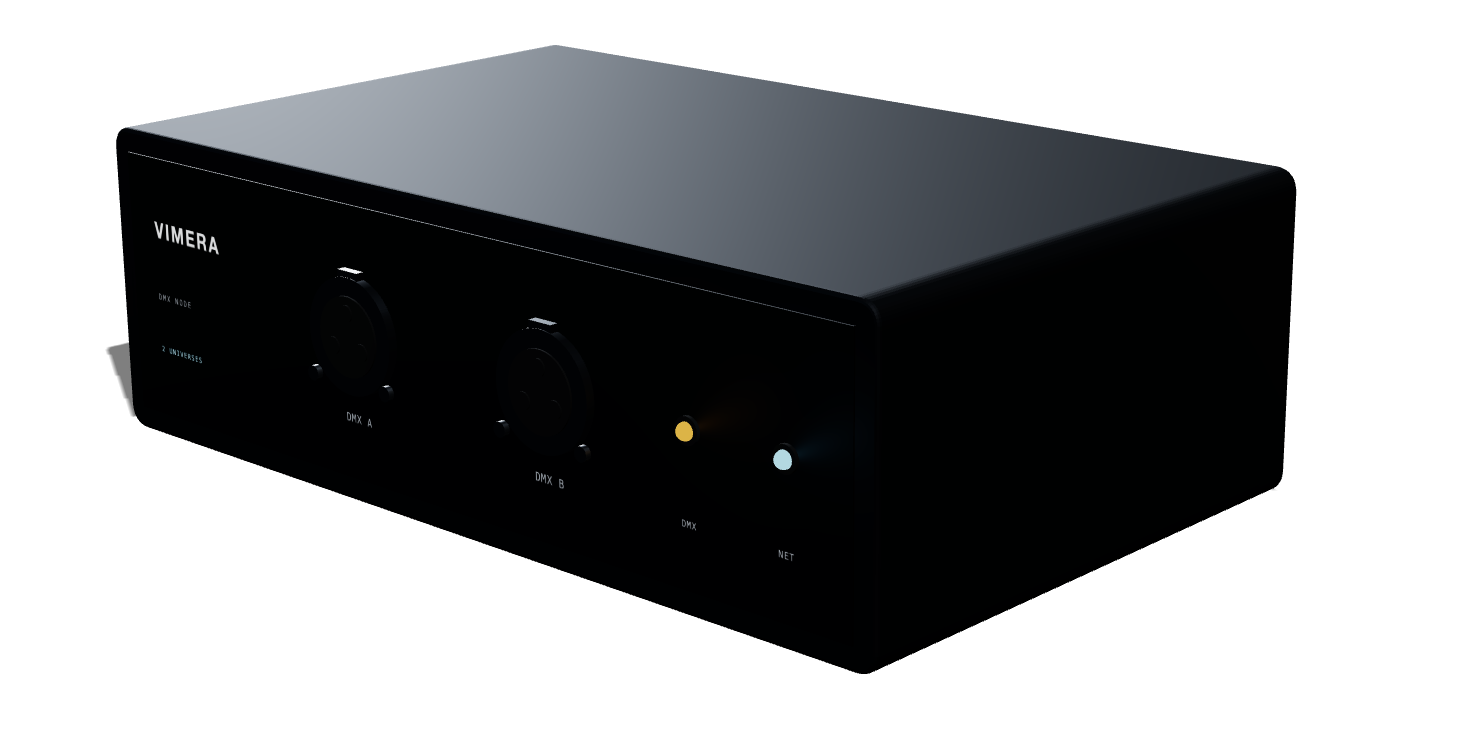
Two universes, 1024 channels. Two DMX outputs.
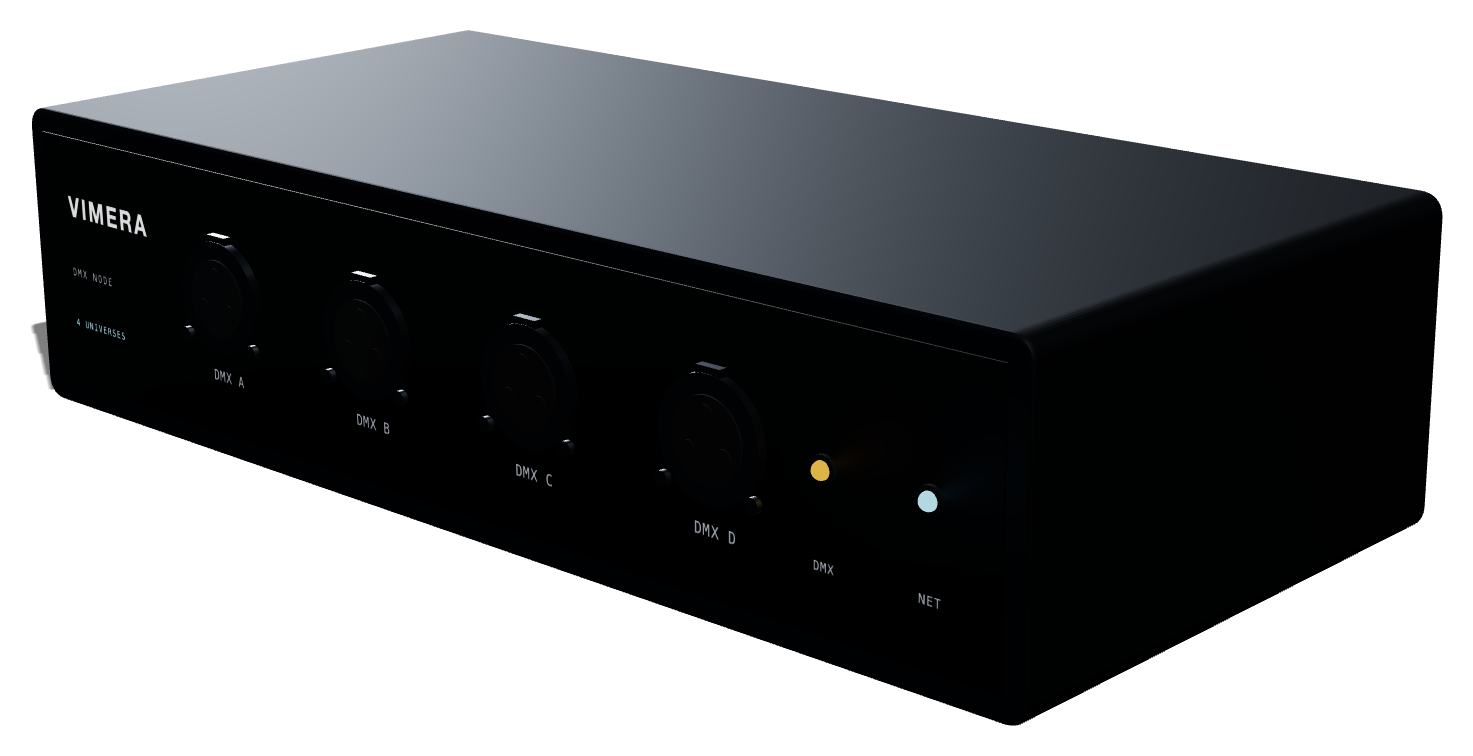
Four universes, 2048 channels. Four DMX outputs.
Download
Not released yet. Builds for macOS and Windows will be here when they ship. The app is free; output to a rig needs a Vimera DMX Node.